Product UI
We design the toolsteams run on.
Alongside client websites, we design and build product interfaces: dashboards, review queues and admin consoles. Here is the CRM we run M Studio on, and a working concept for an AI security console.
Internal tool · In daily use
The CRM we run M Studio on.
Every lead, campaign and draft lives here. A long research pipeline becomes a clear list: what we know about each business and the one step that moves it forward. Nothing goes out until one of us approves it.
- Leads
- Every business sits in one clear stage, with its next step and contact details beside it.
- Campaigns
- Each campaign records its audience, its offer and what is still unconfirmed.
- Human approval
- Drafts wait for a person to review them before anything can be sent.

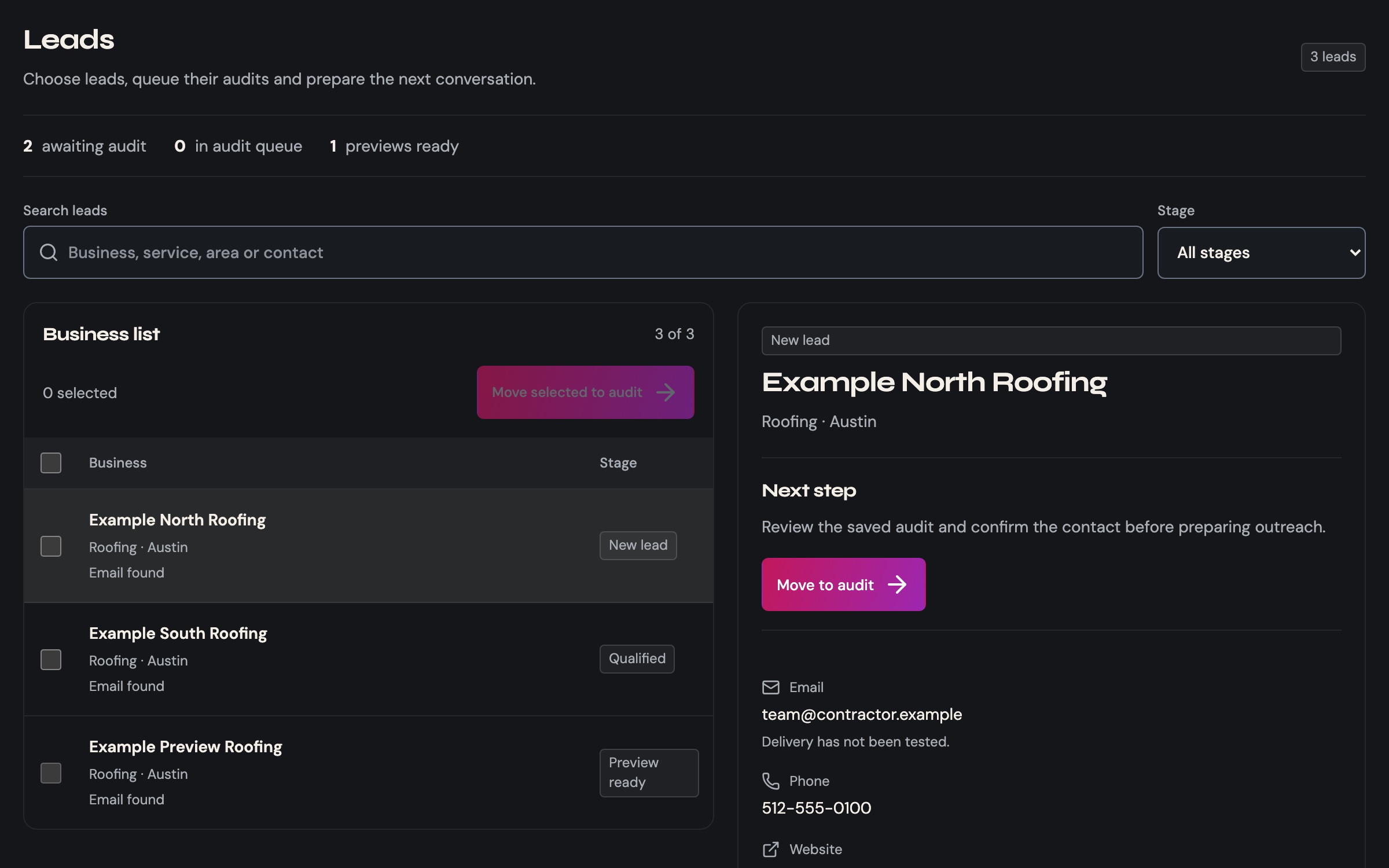

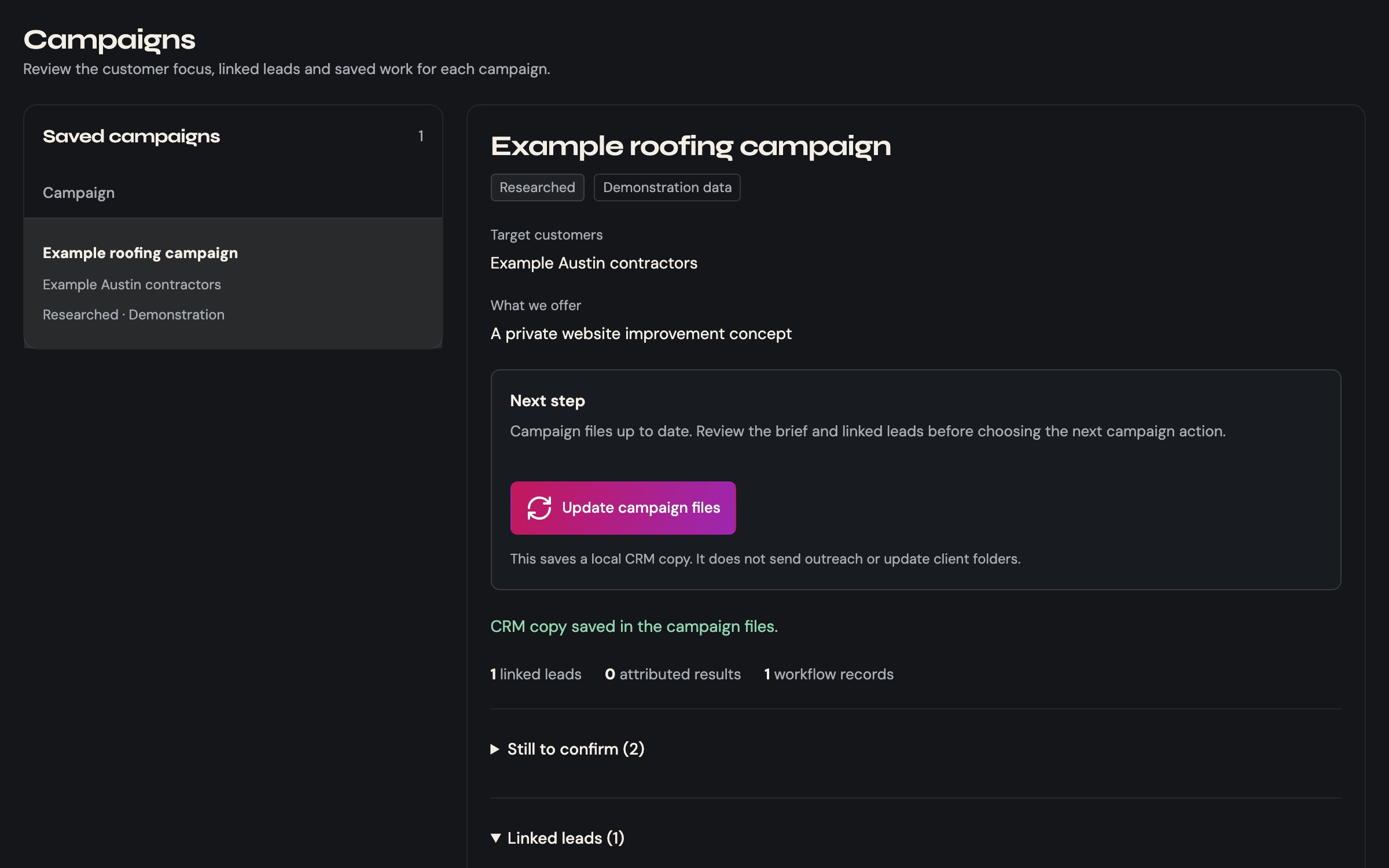
Screens show sample data, not real prospects.
Concept · Synthetic data
A policy console for AI traffic.
Security teams need to see what their AI tools are sending and change the rules without surprises. We built this working concept to show how we approach that kind of product: every decision is explained, every change shows its impact before it goes live, and every version can be rolled back.
A studio concept with invented data. It is not a client product. Try it: open a request, change a policy, then roll it back.
Policy console
Concept · synthetic data| Request | Decision |
|---|---|
| Redacted | |
| Blocked | |
| Allowed | |
| Held for review | |
| Allowed | |
| Redacted |
How we approach product interfaces.
- Start from the real task
- We watch the job an interface is for before we change how it looks.
- Show the impact first
- Scope, consequences and a way back are visible before anyone commits a change.
- Design every state
- Empty, loading, error and permission states get the same care as the main path.
- Accessible from day one
- Keyboard paths, visible focus and WCAG 2.2 AA checks are part of the build, not a later pass.